

Configuring Custom Channels & Sound
How to target on custom Channels?
- Create a custom push channel in the Application Class.
private fun createChannel(channelName: String){
    if (Build.VERSION.SDK_INT >= Build.VERSION_CODES.O) {
        val notificationChannel = NotificationChannel(channelName, channelName, NotificationManager.IMPORTANCE_DEFAULT)
        val notificationManager = getSystemService(NOTIFICATION_SERVICE) as NotificationManager
        notificationManager.createNotificationChannel(notificationChannel)
}- In the Dashboard, in the message section set the custom key for the channel as follows:-
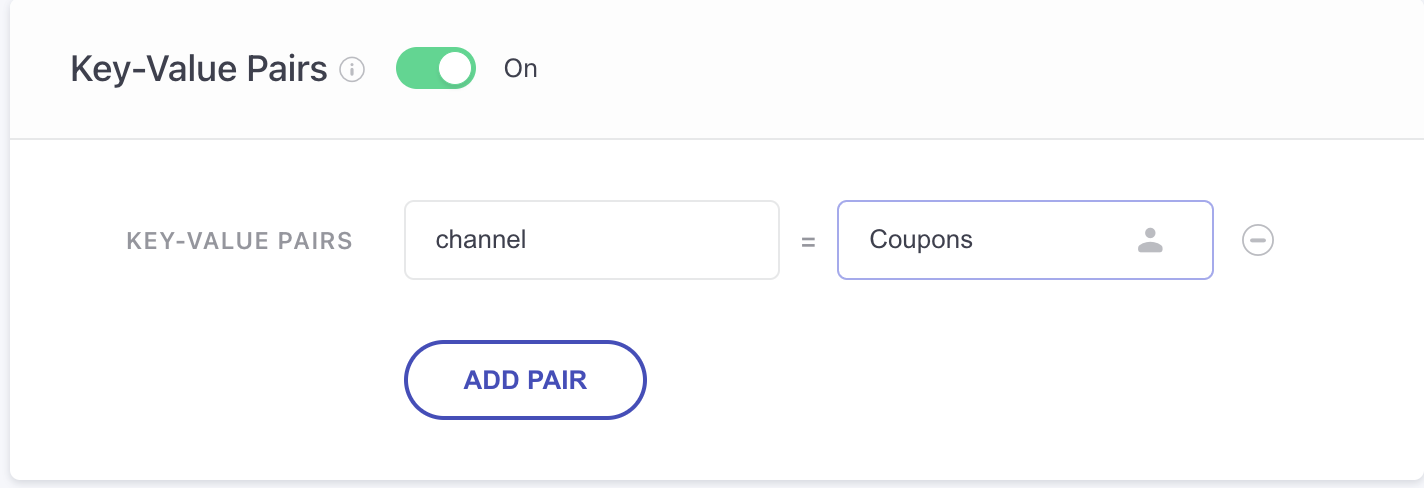
- Handle the custom Channel in the onPushNotificationReceived callback as follows -
override fun onPushNotificationReceived(
    context: Context?,
    pushData: PushNotificationData?
): PushNotificationData {
    if(pushData != null && pushData.customData != null && !pushData.customData.getString("channel").isNullOrEmpty()) {
        pushData.channelId = pushData.customData.getString("channel")
    }
    return pushData!!
}
Setting up Custom Sound
For adding different notification alert sounds for different channels, do the following: If not done, default sound will be used for the channel.
- Add a sound file in the raw folder.
- While creating the channel, you can specify the particular sound file, like we have done below using notificationChannel.setSound
private fun createChannel(channelName: String){
    if (Build.VERSION.SDK_INT >= Build.VERSION_CODES.O) {
        val notificationChannel = NotificationChannel(channelName, channelName, NotificationManager.IMPORTANCE_DEFAULT)
        //for adding channel sound
        val attributes = AudioAttributes.Builder()
            .setUsage(AudioAttributes.USAGE_NOTIFICATION)
            .build()
        val uri : Uri = Uri.parse("android.resource://" + packageName + "/" + R.raw.sound1)
        notificationChannel.setSound(uri, attributes)
        val notificationManager = getSystemService(NOTIFICATION_SERVICE) as NotificationManager
        notificationManager.createNotificationChannel(notificationChannel)
    }
}
Note: Once the channel is created with the particular sound, you cannot change it unless you delete and recreate a new channel.
Updated 10 months ago
Did this page help you?